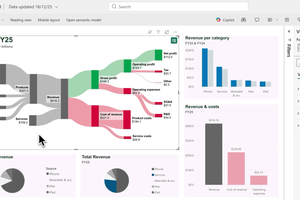
How to make a Sankey diagram in ChatGPT
Filip Barl
| Nov. 4, 2026
Nov. 4, 2026
To make a Sankey diagram in ChatGPT, add the SankeyArt app from ChatGPT's plugin directory. Then upload your financial statement as a PDF in a new chat, type @SankeyArt and ask for the diagram: "Turn the income statement into a Sankey diagram." ChatGPT reads the figures from your file, and SankeyArt draws the diagram right in the chat.
Below: how to set it up, how to turn an income statement, cash flow statement or balance sheet into a diagram, and how to get it into your slides.
Can ChatGPT make Sankey diagrams?
Yes, with the SankeyArt app. On its own, ChatGPT usually answers a request for a Sankey diagram with code for a charting library or a table of flows, which you then have to turn into a chart and style somewhere else.
With SankeyArt added, the diagram appears in the conversation, styled for financial statements: revenue on the left, profits in green, costs in red, and a label with the amount on every item. You change it by asking, and open it in the SankeyArt editor when you want to fine-tune it.
Add SankeyArt to ChatGPT
- Open SankeyArt in ChatGPT's plugin directory and install it, or search for SankeyArt in the directory.
- In a new chat, type @SankeyArt and ask for a Sankey diagram.
SankeyArt works on every ChatGPT plan, Free included, and drawing diagrams needs no SankeyArt account.
Turn an income statement into a Sankey diagram
The fastest way is to hand ChatGPT the statement itself: a quarterly report or annual report as a PDF, an Excel export from your accounting software, or a screenshot. Then ask, for example:
- "Turn this income statement into a Sankey diagram."
- "Draw the income statement in this 10-K as a Sankey diagram in $B, with last year as the comparison."
- "Make a Sankey diagram of our P&L for Q3, grouping the operating expenses into R&D, sales and marketing, and G&A."
ChatGPT reads the figures and SankeyArt draws them. This is Apple's fiscal 2025 income statement as a SankeyArt diagram:

Read it from left to right. Products and services add up to $416B of revenue. Revenue splits into cost of revenue and gross profit, gross profit into operating expenses and operating profit, and operating profit into tax and the $112B net profit. The width of every band is its amount, so you see at a glance where the money goes, and the labels show how each item changed from the year before.
Type the figures instead
No file at hand? Give ChatGPT the numbers in the message:
"Draw a Sankey diagram of Demo Corp's income statement in $M: revenue 1,000, cost of revenue 600, operating expenses 250, income tax 30, net income 120."
ChatGPT fills in the items in between, such as gross profit and operating profit, so the diagram adds up.
Cash flow statements, balance sheets and budgets
The same works for the other statements:
- Cash flow statement: "Draw this cash flow statement as a Sankey diagram, from operating, investing and financing cash flows to the change in cash."
- Balance sheet: "Show this balance sheet as a Sankey diagram, with assets on the left and liabilities and equity on the right."
- Budget: "Draw a Sankey diagram of my monthly budget in €: salary 4,000 and side job 500; rent 1,400, groceries 600, transport 250, leisure 400, and I save the rest."
Refine the diagram by chatting
Every change is one message away, and ChatGPT redraws the diagram:
- "Rename Operating expenses to OpEx and make the cost items orange."
- "Split Services into its segments."
- "Show the amounts in millions instead of billions."
- "Add the figures of the previous year as a comparison."
Click Full screen on the diagram to look at the details.
Tips for accurate financial diagrams
- Name the unit and the period. "In $M, fiscal 2025" saves a round of corrections.
- Check the figures against the source. ChatGPT reads the numbers from your file, and like any AI it can misread a line. On a correct diagram, what flows into each item adds up to what flows out of it.
- Say how detailed it should be. Twenty small cost lines are hard to read; ask ChatGPT to group them, or to keep the ones you care about separate.
- Draw one statement per diagram. An income statement and a cash flow statement tell different stories, and each reads better on its own.
Polish and export it in the SankeyArt editor
Click Edit in SankeyArt below the diagram to open it in the SankeyArt editor. There you move items, pick colours and fonts, fix labels, and export the diagram for your slides, reports and posts, faster and more precisely than by prompting.
Free, or with a SankeyArt subscription
Drawing diagrams in ChatGPT is free: draw as many as you like, without a SankeyArt account. Edits you make in the editor aren't saved, and exports carry a small "created with SankeyArt.com" watermark.
With a SankeyArt subscription, your diagrams have no watermark and you get more export options. ChatGPT saves your diagrams in your SankeyArt account ("Save that diagram in my SankeyArt account"), and opens and updates the ones you saved before. When ChatGPT first needs your account, it asks you to sign in to SankeyArt.
Frequently asked questions
Is SankeyArt free in ChatGPT?
Yes. Drawing diagrams is free on every ChatGPT plan, Free included. Diagrams carry a small SankeyArt watermark unless you have a SankeyArt subscription.
What does SankeyArt see of my conversation?
Only the diagram ChatGPT draws: the names and amounts of its items. SankeyArt doesn't see the rest of your conversation or the files you give ChatGPT. Read more in our privacy policy.
I use ChatGPT at work. Can I add SankeyArt?
On a ChatGPT Business, Enterprise or Edu workspace, your admin decides which plugins you can install. If you can't install SankeyArt, ask them to enable it for the workspace.
Does it work in other AI assistants?
Yes. SankeyArt also draws diagrams in Claude, Gemini, Microsoft 365 Copilot and Claude Code.
Does SankeyArt give financial advice?
No. SankeyArt draws only the figures you or your files give ChatGPT, and doesn't give financial advice.
Draw your first Sankey diagram in ChatGPT
Add SankeyArt to ChatGPT and turn your next income statement into a diagram.
Add SankeyArt to ChatGPT
Filip Barl
Filip is a software engineer and the technical mind behind SankeyArt.
He’s passionate about building great software and tackling complex technical challenges. With a strong interest in design and UX, he strives to create seamless and intuitive experiences.